
How to Search Hidalgo County Court Dockets
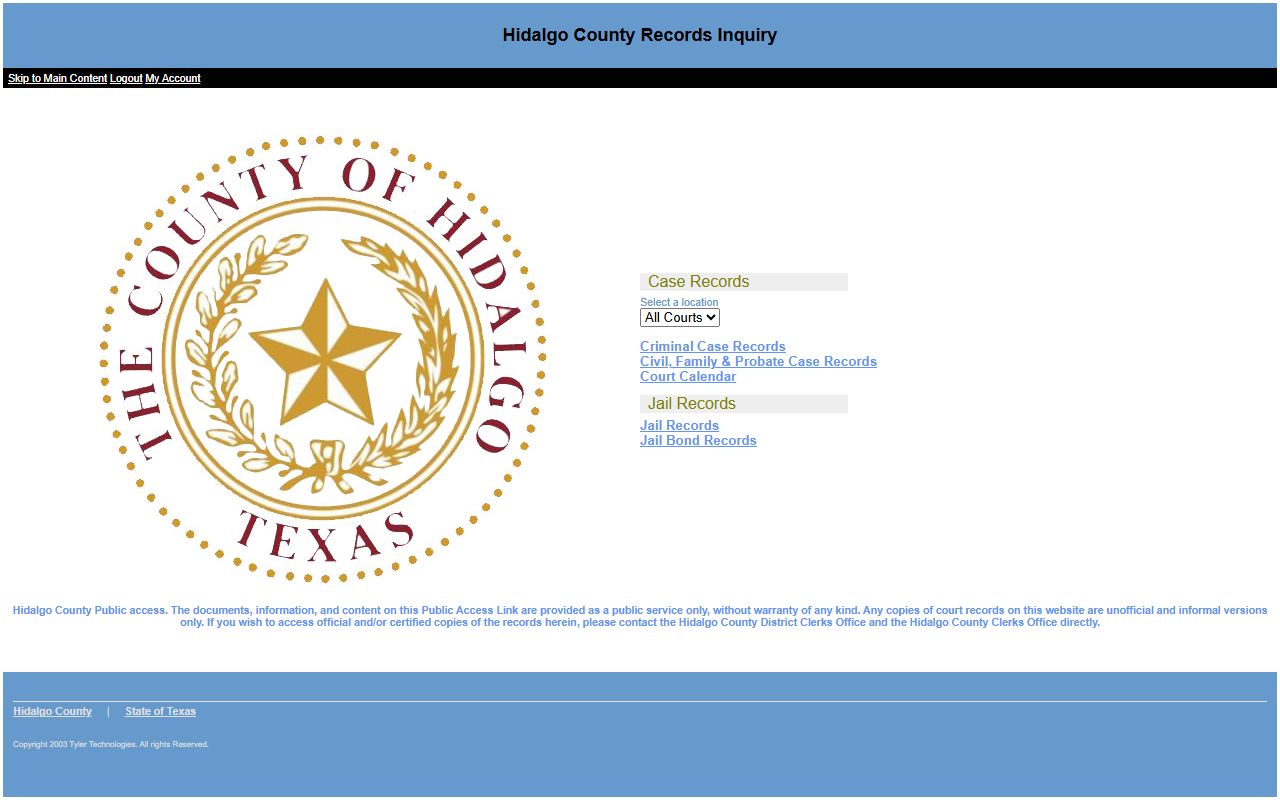
The docket tool is the Court Calendar lane in the Hidalgo County Records Inquiry portal at pa.co.hidalgo.tx.us. From the menu, you open Court Calendar instead of the case search. The calendar then asks how you want to look: by attorney, case, judicial officer, party or defendant name, or date range.
Decide your angle before you start. If you know the case number, that is the cleanest search. If you only know the person, use a name. If you want every hearing on a given day, use the date range mode.
- Open the Records Inquiry menu and choose Court Calendar.
- Pick a Search By mode: case, party, attorney, judicial officer, or date range.
- Enter the case number, name, or judge for the mode you picked.
- Set a date on or after and on or before to limit the calendar.
- Sort the results and open a setting to see the court and time.
The Hidalgo County court calendar search is shown below.
For the underlying files behind a setting, use the court records search.
Hidalgo County Court Dockets Search Fields
The calendar form shares the case-search framework but adds a judicial officer mode and a date range mode. The fields shift based on the mode you choose. The table below lists the main fields for a Hidalgo County court dockets search.
| Field Label | Type | Required | Notes / Format |
|---|---|---|---|
| Search By | Dropdown | Yes | Attorney, Case, Judicial Officer, Party, or Date Range. |
| Case Number | Text | In case mode | Max 30 characters. |
| Last / First Name | Text | In party mode | Same name rules as the case search. |
| Judicial Officer | Dropdown | In judge mode | Lists current and prior district, county, JP, and municipal judges. |
| Date On or After | Date | In date mode | Lower bound of the calendar range. |
| Date On or Before | Date | In date mode | Upper bound of the calendar range. |
| Case Status | Radio | No | All, Open, or Closed. |
Case-category checkboxes for Criminal, Family, Civil, and Probate help focus the calendar.
What a Hidalgo County Court Docket Shows
A docket entry is short. It points you to a hearing, not the whole case. Expect the case number, the parties, the judge, and the time and place of the setting. The field map below shows what a Hidalgo County court docket typically returns.
| Field | What It Shows |
|---|---|
| Case Number | The cause number tied to the hearing. |
| Style of Case | The party names for the setting. |
| Hearing Date | The day the matter is set. |
| Judicial Officer | The judge or court assigned to hear it. |
| Setting Type | The kind of hearing, such as arraignment or trial. |
| Case Status | Whether the case is open or closed. |
Note: A docket can change without notice, so confirm a setting with the court before you travel to the courthouse.
Searching Hidalgo County Dockets by Judge
The judicial officer mode is useful when you follow one court. The dropdown lists current and prior judges across the district, county, JP, and municipal benches. Names you may see include Noe Gonzalez, Marla Cuellar, Juan R. Alvarez, Renee R. Betancourt, Letty Lopez, and probate judge JoAnne Garcia.
Pick a judge and a date range to pull that court's calendar. This is how attorneys and parties track a single docket. To learn what each numbered court handles, see the Hidalgo County District Court page.
Searching by Date Range and Case Category
The date range mode pulls every matching hearing between two dates. Add a case category to keep the list short. The checkboxes split the calendar into Criminal, Family, Civil, and Probate. This helps when you only want, say, criminal settings in a single week.
Sorting controls let you order results by case number, filed date, status, or defendant name. For criminal hearings, the arrest records page covers the related case files.
Court Dockets vs Full Case Records
People often mix up a docket with the case file. They are not the same. A docket is the schedule. The full record holds the filings, orders, and financial history. The chart below shows the difference for Hidalgo County court records.
| Feature | Court Docket | Full Case Record |
|---|---|---|
| Main purpose | Show hearing dates and courts | Hold the complete case history |
| Where to find it | Court Calendar lane | Case Records lane |
| Detail level | Brief setting entries | Filings, orders, dispositions |
| Certified copy | Not typically | From the clerk |
For certified copies of the underlying file, contact the District Clerk.
Hearing and Setting Types on Hidalgo County Dockets
A docket entry names the kind of hearing, and the type tells you what will happen in court that day. Criminal dockets often list an arraignment, where charges are read and a plea may be entered, followed by pretrial settings, docket calls, plea hearings, and trial dates. Civil and family dockets show motion hearings, status conferences, mediation settings, and trials. Probate dockets list hearings on wills, heirship, guardianship, and mental health matters before the probate court. Each setting links back to one cause number, so the same case can appear on the calendar many times as it moves along.
Knowing the setting type helps you plan. An arraignment is short. A trial setting can run for days. A docket call is a roll call where the court sorts which cases are ready. When a setting is reset, the old date stays in the history and a new date appears. That is why a single Hidalgo County court docket can show several past and future hearings for one case.
How Cases Move Through the Hidalgo County Courts
The docket you find depends on which court holds the case, and Texas stacks its courts in layers. A small matter may start and end in a justice court. A serious case can climb the ladder. Reading a docket is easier when you know the path a case can take.
Case flow: Justice Court › County Court at Law › District Court › Texas Court of Appeals
Justice courts handle Class C tickets, small claims, and evictions. County courts at law take misdemeanors and many family matters. District courts hear felonies, larger civil suits, and divorces. Appeals from the district courts go to the Thirteenth Court of Appeals, the intermediate appellate court for Hidalgo County. Each level keeps its own calendar, so a docket search may point you to a different clerk depending on the court. The Hidalgo County District Court page breaks down the numbered district courts and what each one hears.
Limits of the Online Hidalgo County Court Calendar
The online calendar is convenient, but it is not complete. The District Clerk warns that not all cases appear online. Many family cases, divorce among them, may be left out because they hold sensitive data, child information, or personal identifiers like Social Security and driver license numbers. So a hearing in a sealed or sensitive case may never show on the public docket.
The portal disclaimer also makes clear that its content is provided as a public service without warranty. A docket can be reset, moved, or canceled after it posts. For an official confirmation of a setting, the safe move is to call the court clerk that handles the case. Online dockets are a starting point, not a substitute for the court's own record.
Federal and Appellate Dockets for Hidalgo County
The county Court Calendar covers state trial courts, not every court that touches the county. Federal cases tied to Hidalgo County are heard in the Southern District of Texas, which has a McAllen Division. Those dockets are not in the county portal. You find them on PACER, the national federal records system, which can charge per-page fees. Appeals from the federal district court go to the U.S. Court of Appeals for the Fifth Circuit.
State appeals follow a different track. When a Hidalgo County district court ruling is appealed, the case moves to the Thirteenth Court of Appeals, the intermediate appellate court for this region. Appellate dockets are kept by that court, not by the local Records Inquiry calendar. So if a case has left the trial level, you may need to look beyond the county tool to track its next setting.
Common Questions About Hidalgo County Court Dockets
A few questions come up again and again when people track a court date in Hidalgo County. The short answers below cover the basics.
Is a docket the same as a case file? No. A docket is the schedule of hearings. The full file, with filings and orders, is the case record. Use the court records search for the complete history.
Can I search a docket by judge? Yes. The Court Calendar lets you pick a judicial officer and a date range to pull that court's settings. The dropdown lists current and prior district, county, JP, and municipal judges.
Why is my hearing not showing up? Some cases are not online, and new settings can take time to post. Sensitive family cases may be withheld. Call the court to confirm. More answers sit on the FAQ.
When Online Dockets Fall Short
Online calendars can lag, and not every setting posts in real time. If a date looks wrong or a hearing is missing, call the assigned court. JP and municipal courts keep their own schedules and may not feed the county calendar the same way. Confirm any setting before you appear, because relying on a stale online entry can cost you a missed court date.
For broader access questions, see the public records page. For the offices that hold the files, see the District Clerk and County Clerk pages.